MikroTik: T-Mobile Polska over Vectra DOCSIS
Recently, I had to set up a new internet connection. I eventually settled on T-Mobile Polska as the ISP. The twist is that the service was provided over a coaxial cable network (DOCSIS) belonging to a different Polish provider: Vectra. The installation technician brought us two separate devices: a router and a cable modem, shown in the photo below:
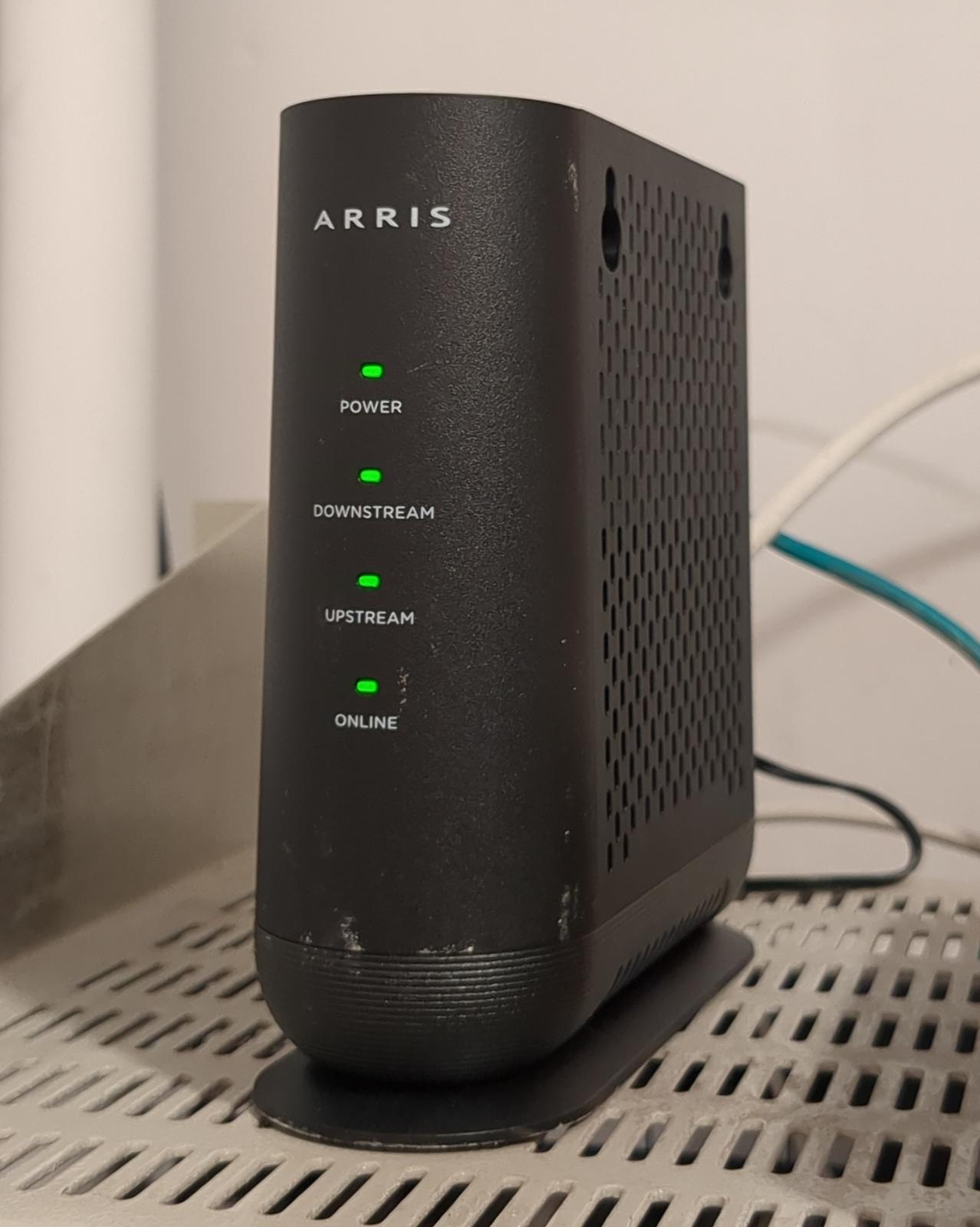
Since we already had a proper MikroTik router, we wanted to ditch the substandard and locked-down router supplied by the ISP. Fortunately, the ISP doesn’t outright prohibit this; nonetheless, the setup process isn’t entirely straightforward. It hasn’t been documented anywhere on the ISP’s website or on third-party forums. It took me several calls to customer service over several hours until someone competent answered and I managed to extract the relevant information.
The essential information we need to obtain consists of the credentials for the PPPoE connection. I got them through a customer support call,
but they are supposedly also written in the contract. The login will look something like ftthXXXXXXX, where X are digits. The
FTTH prefix is
misleading, since we use cable instead of fiber, but the ISP probably uses the same naming scheme for all subscribers.
MikroTik configuration
The configuration was performed on a MikroTik RB3011UiAS-RM running
RouterOS version 7.21.3. The Arris modem was connected to Ethernet socket 5. Our MikroTik has 1 Gbit/s
Ethernet ports, while the modem supports up to 2.5 Gbit/s. That was not a problem for the chosen maximum rate of 300 Mbit/s download.
Arris, like other cable modems, acts as a transparent bridge. It forwards PPP over Ethernet protocol packets between the router and the ISP. PPPoE handles things like authentication and is commonly used with other technologies, such as ADSL. The PPP protocol itself is much older, dating back to the late 1980s.
What took me by surprise was that, in the case of T-Mobile, the PPPoE traffic is encapsulated within an 802.1Q VLAN (ID 35). You can imagine my frustration when scanning the port for active PPPoE servers returned no results! FYI, Orange Polska apparently also uses VLANs.
Let’s start by configuring the Ethernet interface. Disable ARP on the interface, since there is no IP traffic on it. No MAC cloning is required either, so we stick with the interface’s default MAC:
/interface ethernet
set [ find default-name=ether5 ] arp=disabled comment="T-mobile cable modem." name=ether5-tmobile
Next, create a VLAN interface with VLAN ID 35. Because the PPPoE overhead is 8 bytes, if we want the full 1500 bytes of payload available within the PPPoE session, we should set the MTU of the VLAN interface to 1508. Notice that we haven’t modified the MTU of the Ethernet interface. The VLAN tag overhead is 4 bytes, but on MikroTik, the MTU for tagged traffic is controlled by a different parameter: L2 MTU, which is set to 1598 by default:
/interface vlan
add arp=disabled comment="VLAN for T-Mobile PPPoE connection." interface=ether5-tmobile mtu=1508 name=vlan-tmobile vlan-id=35
Now we can try scanning the VLAN for available PPP servers/concentrators. The coaxial cable must be connected to the modem and a DOCSIS session must be established (all LEDs green). The PPP server is, in fact, on the ISP’s side, not inside the modem. The modem is just a transparent bridge:
/interface/pppoe-client/ scan interface=vlan-tmobile
It should return something like:
Columns: MAC-ADDRESS, AC-NAME
MAC-ADDRESS        AC-NAME
XX:XX:XX:XX:XX:XX  ROU40990CTG
Now, we’re ready to create the profile for PPPoE connection:
/ppp profile add name=profile-tmobile only-one=yes use-mpls=no comment="T-Mobile PPPoE profile."
and the PPPoE connection itself:
/interface pppoe-client
add name=pppoe-tmobile \
    interface=vlan-tmobile \
    user=ftthXXXXXXX \
    password=<your-password> \
    profile=profile-tmobile \
    allow=chap,mschap1,mschap2 \
    add-default-route=yes \
    default-route-distance=1 \
    keepalive-timeout=30 \
    disabled=no \
    comment="T-Mobile PPPoE connection."
I kept the flag add-default-route=yes, but more advanced setups should probably configure routes manually. After that, the MikroTik will
try to establish the connection. The pppoe-tmobile interface should enter the RUNNING state, and the log should contain something
like:
pppoe-tmobile: authenticated
The remaining steps are the same as for any other WAN connection: setting up NAT, etc.
MTU issue
Ethernet’s standard MTU is 1500 bytes, so a PPPoE session is usually limited to 1492 bytes. Going over 1500 requires support for baby giant frames. Both MikroTik and the modem apparently support them. I tried increasing the VLAN MTU to 1508, and it worked fine. The effective MTU inside the PPPoE session is 1500 in this case. You can verify it with:
/ping 1.1.1.1 count=5 do-not-fragment size=1500
Search keywords in Polish
MikroTik + VLAN + PPPoE + T-Mobile Polska na infrastrukturze Vectra, T-Mobile Vectra na własnym routerze, T-Mobile kablowe własny router MikroTik.